Pupil photos, AI and school websites: what schools should do now
Recent media coverage has raised understandable concern about the use of pupil photographs on school websites and social media.
Reports have highlighted warnings from child protection experts, the National Crime Agency and the Internet Watch Foundation about criminals misusing publicly available images of children, including through AI image manipulation and blackmail attempts.
For schools, this raises an important question:
Should we still use pupil photos on our website?
The answer is not necessarily “remove every pupil image immediately”. But it is a good time for every school and trust to review the images they publish, how identifiable pupils are, and whether safer alternatives could be used in some places.
The latest guidance from the UK Online Harms Early Warning Working Group focuses on responsible management, sharing and protection of photos and videos of children across school websites, social media and other digital spaces. It recommends measures including avoiding identifiable information, using harder-to-misuse imagery, applying privacy settings, removing image metadata, and embedding image security into staff training and policies.
What is the concern?
AI tools do not simply “take” a face from a school website and turn that exact face into a new image. The wider concern is that publicly available images of children could potentially be misused by individuals, including alongside other tools.
Unfortunately, image manipulation itself is not new. Software such as Photoshop has existed for decades. What has changed is the speed, accessibility and realism of AI image tools, and the fact that ordinary school photos may now carry a higher safeguarding risk than they did a few years ago.
That does not mean schools have done anything wrong by using pupil photography. School websites have long used real images to celebrate learning, show school life and give prospective families a feel for the setting.
But the risk profile has changed, and it is sensible for schools to respond.
The key point: identifiable images are the issue
The recommendation being reported is not simply “remove all pupil photos”.
The more practical message is to reduce the use of identifiable pupil images, especially where a child’s face is clearly visible, where the image is close-up, or where a name is paired with a photograph.
That distinction matters.
A website can still feel warm, authentic and engaging without relying heavily on clear, close-up photos of identifiable pupils.
A practical approach for schools
We suggest schools and trusts take a measured, risk-based approach.
1. Avoid pairing names with identifiable photos
Where possible, avoid publishing a pupil’s name next to their photograph.
This is especially important for awards, news stories, sports reports, leadership roles, performances and social media posts where a child’s image and identity may be connected publicly.
The official guidance specifically advises schools to ensure images do not contain identifiable information that could be used to harm or blackmail an individual, such as full names or faces.
2. Use more general school-life imagery
Schools can still show the life and character of the school without always showing identifiable faces.
Good alternatives include:
- Pupils photographed from behind
- Wider classroom or playground scenes
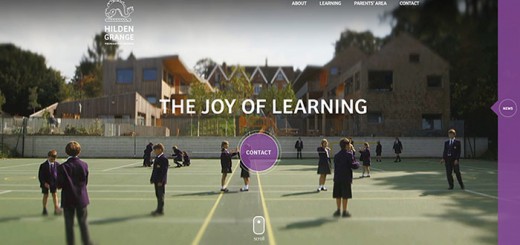
- Group shots taken from a distance
- Hands-on learning activities
- Books, displays, artwork and equipment
- Sports, science, music or outdoor learning details
- Over-the-shoulder images
- Cropped images that focus on the activity rather than the child
- Building, grounds and environment photography
- Blurred or partially obscured images where appropriate
The guidance suggests using imagery that is harder to misuse, such as photos taken from a distance, blurred images or images taken from over the shoulder.
3. Remove EXIF metadata before publishing images
This is an important point that many schools may not be aware of.
Digital photos can contain hidden information called EXIF metadata. This may include details such as:
- The date and time the photo was taken
- The device or camera used
- Camera settings
- GPS location data, if location services were enabled
- Other technical information about the image
In some cases, that information could unintentionally reveal locations, routines or patterns — for example, where and when a regular club, sports session or trip takes place.
The guidance recommends removing metadata, including EXIF data, before publication because it may reveal location, device details or timestamps.
How to remove EXIF data
Before uploading photos to your school website or social media channels, strip the metadata from the image.
On Windows:
- Right-click the image file.
- Choose Properties.
- Open the Details tab.
- Click Remove Properties and Personal Information.
- Choose Create a copy with all possible properties removed.
- Upload the cleaned copy, not the original.
On Mac:
- Open the image in Preview.
- Go to Tools > Show Inspector.
- Check the GPS tab, if shown.
- Remove location data where available, or export/save a new version of the image without metadata using an image optimisation or metadata removal tool.
For schools managing large numbers of images, it may be better to use a dedicated image optimisation tool, website upload process, or CMS function that automatically strips metadata before images are published.
EXIF data is automatically removed for photos uploaded to Greenhouse websites.
4. Use lower-resolution images where possible
For most school website pages, very high-resolution images are not necessary.
The guidance recommends using lower-resolution images to reduce the risk of misuse.
This does not mean using poor-quality images. It means avoiding the upload of unnecessarily large originals straight from a camera or phone.
As a general principle, schools should avoid uploading original full-size camera images unless there is a specific need. Website-ready versions are usually much smaller and are perfectly adequate for online display.
5. Review privacy settings on social media and shared platforms
School websites are usually public, but social media platforms, photo galleries and shared albums may offer privacy controls.
The guidance recommends applying privacy settings to help limit who can view and share content, including on social media or any other place where images are stored or shared.
Schools should review:
- Facebook page and group settings
- Instagram account settings
- X/Twitter posts
- YouTube and Vimeo videos
- Photo galleries
- Shared folders
- Public newsletters and PDFs
- Third-party platforms used for events, trips or sports fixtures
Where images are intended only for parents or a school community, a closed or restricted channel may be more appropriate than a fully public one.
6. Review existing website and social media images
It is worth auditing the images already online, especially on:
- Homepage banners
- Admissions pages
- Prospectus-style pages
- News stories
- Staff/pupil leadership pages
- Sports reports
- Older blog posts
- Social media feeds
- Downloadable PDFs and newsletters
Older content is easy to forget, but it may still be indexed, shared or publicly available.
The guidance recommends regular, documented audits of children and young people’s imagery on websites, social media and promotional materials — for example, termly or biannually. It also recommends updating or removing out-of-date images where necessary.
7. Replace images of pupils who have left the school
One practical point in the guidance is that schools should consider replacing images of children and young people who are no longer members of the school community.
This is especially relevant for older website pages, homepage banners, prospectus pages and admissions pages, where the same images may remain online for several years.
8. Keep consent processes up to date
Schools should check that their image consent processes reflect current online realities.
Consent should be clear about where images may appear, including the school website, social media, newsletters, prospectuses and third-party platforms.
The guidance recommends providing parents, carers and young people with clear information about the potential risks of image use, including online misuse and manipulation, and the steps the school is taking to reduce those risks. It also recommends reviewing and re-signing consent forms regularly, such as annually or at key transition points.
Where children are old enough and have capacity to make their own decisions, the guidance says best practice is to seek their own consent as well as parent or carer consent.
9. Add image security to staff training and policies
This should not just sit with the website editor.
Anyone who takes, uploads or approves school images should understand the school’s approach. That may include admin staff, teachers, social media leads, communications staff, trip leaders, sports staff and senior leaders.
The guidance recommends embedding image security awareness and practice into staff training and policies.
This could include a simple internal checklist:
- Is the child identifiable?
- Is the child named?
- Is the image necessary?
- Could a lower-risk image work instead?
- Has consent been checked?
- Has metadata been removed?
- Is the image too high-resolution?
- Is this the right platform for the image?
- Should the image be public, restricted or not used?
10. Consider safer alternatives for key promotional pages
Some pages matter more than others.
Admissions, homepage, nursery, sixth form, prospectus and open day pages often use large, prominent images. These are also the pages most likely to be public, long-lived and widely shared.
For these areas, schools may want to consider alternatives such as:
- Non-identifiable photography
- More abstract school imagery
- Professional shots of classrooms and facilities
- Existing photos anonymised before publication
- Carefully created AI or synthetic imagery
The guidance specifically asks schools to consider whether images of children and young people are needed at all, or whether imagery without children’s faces can still achieve the same objective.
Anonymising existing photos
There are now services designed specifically to help schools anonymise existing photography.
One example is Aidos, which allows schools to alter faces in existing images so that people are no longer identifiable while retaining the overall feel of the original photograph.
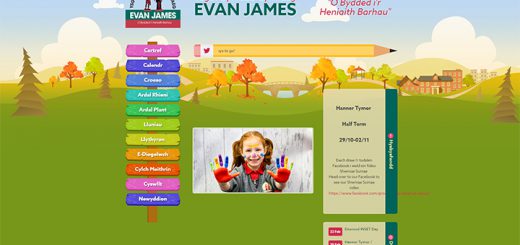
The Greenhouse CMS has a fantastic new feature allowing you to replace faces with synthetic natural faces generated by AI. More details in this FAQ.
This kind of tool may be useful where a school has strong existing photography but wants to reduce the risk attached to identifiable pupil faces.
What about AI-generated school photos?
Another option is to use AI-generated or synthetic school-style imagery.
This does not mean pretending that fictional children are real pupils. Used properly, AI images should be treated as illustrative website visuals, not documentary photography.
For example, Greenhouse can create school-style images using a school’s uniform colours, age range and preferred settings, without photographing real pupils or using real pupil faces.
The children shown in these images are synthetic, AI-created composites and are not based on actual children.
This can be a useful option for schools that want warm, welcoming website imagery while reducing reliance on identifiable pupil photography.
What if an image is misused?
Schools should have a clear response plan.
The guidance recommends that if images are misused, altered or abused, schools should not delete or further share communications or criminal images relating to the incident. Instead, they should retain and store evidence securely, seek police advice, notify the Designated Safeguarding Lead or a senior colleague, and record the incident through normal safeguarding and incident reporting processes.
If the school receives threats or blackmail demands involving imagery, the guidance says this should be reported to the police as a criminal matter. It also says schools should not engage with the individual or respond to demands.
The guidance also signposts services such as Report Remove for under-18s, Take It Down for image takedown support including AI-generated images, and Stop NCII for non-consensual intimate images of over-18s.
What schools should do now
A sensible next step would be:
- Review your current website and social media imagery.
- Identify clear, close-up, face-on or named pupil photos.
- Remove names from captions where possible.
- Replace high-risk images with lower-risk alternatives.
- Strip EXIF metadata before publishing images.
- Avoid uploading unnecessarily high-resolution original images.
- Review social media and shared-platform privacy settings.
- Replace images of pupils who have left the school where appropriate.
- Update image consent processes if needed.
- Add image security to staff guidance and training.
- Use non-identifiable, anonymised or synthetic imagery for key promotional pages.
- Keep an image review process in place for future uploads.
Final thought
Schools should not feel they have to strip all personality from their websites.
Parents still want to see a school that feels warm, active and welcoming. The challenge is to achieve that while being more thoughtful about pupil identity and online safeguarding.
The best approach is not panic, but proportionate action: review what is already online, reduce the use of identifiable pupil images, remove hidden metadata, and make safer choices for future website and social media content.